How to Watch Claude Code Wait Out a Usage Limit From Your Phone
Run Claude Code with its retry watchdog inside shell, then tell from your phone whether the run is working, waiting on a usage limit, or done.
Artemii Amelin10 min read
Contents
On October 20, Anthropic shipped Claude Code 2.1.305 with a new setting for its unattended retry mode. With CLAUDE_CODE_RETRY_WATCHDOG=1, Claude Code already retried 429 and 529 capacity errors indefinitely, and a session that hit a usage limit waited out the rest of the window. The new CLAUDE_CODE_RETRY_WATCHDOG_USAGE_LIMIT_RECHECK_MS makes it check, at an interval you choose, whether the limit was lifted early, and send the request at once if it was. Five days earlier, 2.1.301 added a companion variable that ends a request at a usage limit whose reset is too far away instead of waiting for it.
The environment variable reference describes the watchdog as a setting for eval harnesses, CI jobs and remote workers. It backs off up to five minutes between attempts, or until the limit resets when the response says when that is. In practice that means a Claude Code run can now sit in your terminal for hours, alive and doing nothing, and then pick up again on its own. That is what you want from an overnight job. It also means the question you have at 2am is no longer whether the run crashed. It is whether it is working, waiting on a limit, or finished.
This guide starts such a run inside shell.online so you can answer that from a phone. You put the watchdog in the run's environment, start it as a named session, turn on the summary card that reports finished turns, read the live screen when the card has nothing to say, and put a deadline on the whole night. The shell behavior here comes from the 0.25.0 help text and the source in the shell.online repository. The watchdog behavior comes from Anthropic's documentation as it reads today.
What the watchdog waits for
Two kinds of refusal matter here. A 429 is the HTTP status for too many requests, defined in RFC 6585, and a server may send a Retry-After header with it to say how long to wait. Anthropic's API error reference lists 429 as rate_limit_error and 529 as overloaded_error, which can happen when the API sees high traffic across all users. Claude Code's error guide adds that a 529 is not your usage limit and does not count against your quota.
The watchdog treats them differently from a spend limit. Per the reference, it fails at once when a standard-speed request gets a 429 that reports a spend limit or exhausted usage credits. The new recheck is narrower still: checks are made only for a claude.ai subscription's session or weekly limit while usage credits are not in use, and not while CLAUDE_CODE_DISABLE_NONESSENTIAL_TRAFFIC is set. The interval must be a whole number of milliseconds from 60000 to 10800000. Outside that range, no checks are made at all.
Step 1: Start the run with the watchdog in its environment
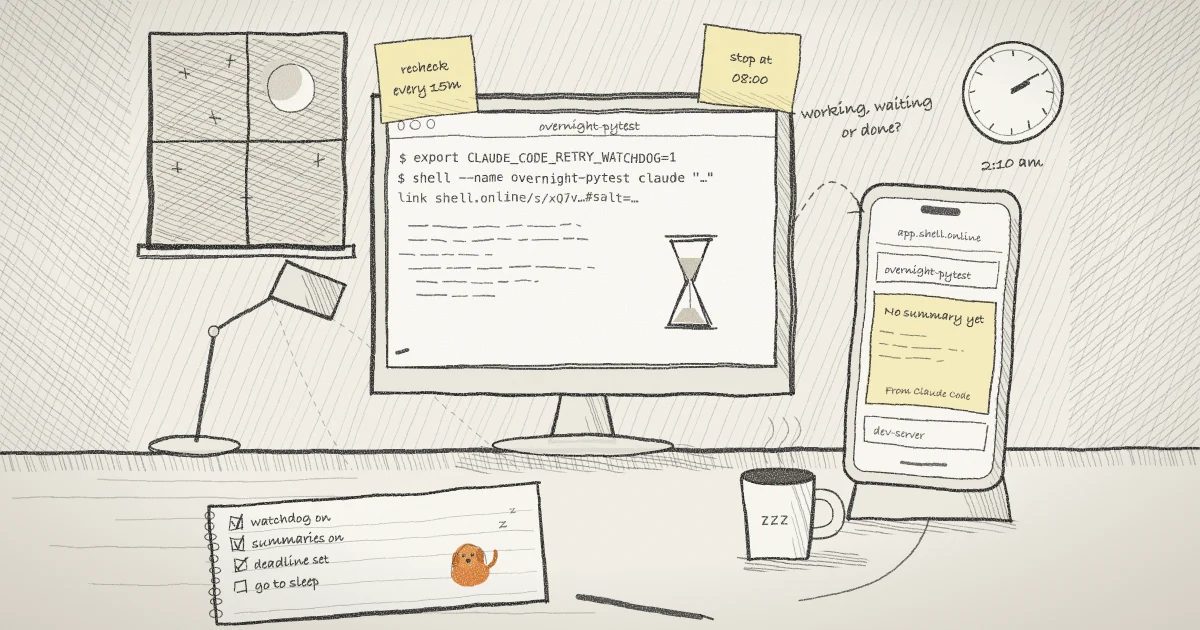
shell passes the environment of the terminal you start it from to the program it wraps. Since 0.24.1 it keeps its own session password out of that environment, but your variables go through. So export the watchdog settings first, then start Claude Code as a named session with the task as its prompt:
export CLAUDE_CODE_RETRY_WATCHDOG=1
export CLAUDE_CODE_RETRY_WATCHDOG_USAGE_LIMIT_RECHECK_MS=900000
shell --name overnight-pytest claude "Move the tests in ./tests from unittest to pytest, run them, and fix what breaks"The first line turns on unattended retry mode, which needs Claude Code 2.1.186 or later. The second asks for a check every 15 minutes and needs 2.1.305. The third starts Claude Code in the background inside a pseudo-terminal and prints a browser link, a ten-character password and a QR code that holds both. The prompt is invented for this example. Because it is several words in one argument, shell can bind the session to the Claude Code conversation it starts, which the summary card in Step 3 depends on.
The 2.1.301 variable, CLAUDE_CODE_RETRY_WATCHDOG_MAX_USAGE_LIMIT_WAIT_MS, is described in the changelog but was not in the environment variable reference when I checked. I would read its entry there before setting it.
Step 2: Confirm the session on the machine
shell listThe table shows each session's ID, access mode, uptime, closing rule, command, share URL, whether a password is stored, and the relay status: online, starting, reconnecting, expired or unknown. Look for overnight-pytest with the relay online. If you closed the terminal that printed the password, shell password <ID> prints it again from the owner-only local record. The CLI reference lists the JSON form, shell list --json, for scripts.
Step 3: Turn on the summary card
The quickest check from bed is a card you can open without entering the session password. Session summaries need a machine linked to your account, so run shell auth once if you have not, then switch summaries on for this one session. shell auth also asks, once, whether your signed-in browser may start sessions on this machine; this guide does not need that, so you can say no.
shell auth
shell permissions <ID> --summaries=trueSummaries are off by default, owner-only and opt-in per session, and they cover only sessions started with a CLI that includes them, which means 0.25.0 or later. For a Claude Code session, the host reads the conversation's own transcript on your machine: the latest title and the latest assistant reply, never thinking or tool output. It encrypts the result to your account vault key, so the service stores only ciphertext. The summaries document covers what leaves the machine for other kinds of session.
On the phone, open app.shell.online, open your vault when the card asks for it, and press and hold the session's row for half a second. The card shows the title, the reply, a state label such as Waiting for input, and a line like From Claude Code with how long ago the summary was made.
The card reports finished turns, not waits. The host publishes a Claude Code summary only when the last assistant message in the transcript ended its turn, or when you interrupted it. A turn that is still going, including one whose request is sitting out a usage limit, is skipped. A run started with one prompt is one long turn, so the card can say No summary yet all night and then switch to Waiting for input when Claude is done. Read it as a finish line. To see a wait, open the screen.
Step 4: Read the screen from your phone
Scan the QR code, or open the full link and type the password. The link carries a random #salt= fragment and the QR adds the password to that fragment, which never reaches the relay. That also makes the QR a bearer credential, so keep it off shared screens. The encryption page explains what the relay can and cannot see.
You now see the same screen you would see at the desk. What Claude Code prints while the watchdog waits is up to Claude Code, and I have not seen its wording documented, so read the screen rather than relying on one message. If Claude stops to ask for permission, you can answer from the phone. The mobile guide covers the terminal key controls for keys your keyboard lacks: Ctrl-C there interrupts the running command, and Ctrl-D needs two presses within three seconds before it sends EOF.
Two things change while you watch. On a current host, any connected phone switches everyone to an 80 by 40 grid, which returns to 120 by 36 when the last phone leaves. Closing the tab leaves the run going. An earlier post shows the same Claude Code session read as a conversation instead of a grid, which suits a small screen.
Step 5: Put a deadline on the night
A run that waits politely is still a run you forgot to stop. Decide the latest time it may hold the machine before you start it, and keep the computer awake for that long. caffeinate on macOS and systemd-inhibit on Linux hold their lock only while the command they wrap is running. A background shell start returns as soon as the link is ready, so wrap a foreground start instead:
caffeinate -i shell --foreground --name overnight-pytest --auto-close tomorrow 08:00 claude "Move the tests in ./tests from unittest to pytest, run them, and fix what breaks"--foreground keeps the session attached to this terminal and returns Claude Code's exit status when it ends. --auto-close tomorrow 08:00 closes the share when the task exits and adds an earlier deadline; the help text accepts multi-token dates like this one. On Linux, swap the first word for systemd-inhibit --what=sleep.
When the deadline arrives, or when you run shell kill <ID>, shell sends SIGTERM to the process group and SIGKILL two seconds later if it is still there. I read that in the Unix code path, so it holds for macOS and Linux. Windows takes a different path. An earlier post on watching an agent after you turn off its permission prompts covers the other half of an unattended night.
What this setup does not do
- shell does not know about usage limits. It sees a process and its terminal output. It cannot tell you when a limit resets, and it does not make a waiting request go faster.
- Nothing here sends you a notification. The card and the screen are things you go and look at.
- The summary card does not describe a wait in progress, as the callout explains, and it is an automated summary that may be wrong.
- The recheck applies only to claude.ai subscription limits. An API key that hits a spend limit fails at once under the watchdog, by Anthropic's own description.
- shell does not restart Claude Code if it exits or crashes, and it does not keep a laptop awake on its own. If the host loses its network, the CLI retries, and the reliability guide lists what survives a disconnect.
- A sleeping machine stops the run along with the link.
- It does not tell a capacity problem from your own limit. Check Claude's status page before you blame a long wait on your plan.
Where Pilot Protocol fits
shell.online is built by the team behind Pilot Protocol, a networking stack for autonomous agents, and the gap above is a messaging problem. Claude Code has a hook for the moment a run gives up. The hooks reference says StopFailure runs instead of Stop when a turn ends due to an API error, and it can be filtered on error types such as rate_limit and overloaded. With the watchdog on, a turn ends that way only when the watchdog gives up, for example at a spend limit.
A command hook on that event could run pilotctl publish <node> claude --data "overnight-pytest stopped", and anything running pilotctl subscribe <node> claude gets the event. Pilot's pub/sub documentation is clear that delivery is at most once, with no persistence or replay, so treat it as a nudge to go and look rather than a record. Keep the share link and password out of the event. For how the session itself behaves through a long night of dropped connections, the Pilot blog's piece on what a long agent run on shell.online survives goes further than this guide. If you are running several overnight sessions, the post on telling which session needs you is the next read, and the Claude Code repository is where to report watchdog behavior that does not match its documentation.
Start tonight's run where you can see it
Install shell, export the watchdog settings, and start Claude Code with a name and a deadline. The platforms page lists the systems it runs on, and the security page covers who can open it.
Read the shell.online docs