How to Share a Live OpenCode Conversation Now That /share Is Gone
OpenCode retired /share on October 15. Fork the conversation you are in into an encrypted browser link a teammate can open, using shell opencode.
Artemii Amelin10 min read
Contents
- What shell does when OpenCode runs it
- Step 1: Make OpenCode ask before it shares anything
- Step 2: Ask OpenCode to fork itself into a browser link
- Step 3: Replace the password the model has seen
- Step 4: Fork a specific session from your own terminal
- Step 5: Send it, follow along, and close it
- What this setup does not do
- Where Pilot Protocol fits
On October 15, OpenCode shipped release 1.19.1 with a single entry in its notes: session sharing has been discontinued, existing share links and session-sharing commands no longer work, and sessions can no longer be imported from share URLs. The same day, the OpenCode changelog recorded 2.0.30 removing "the retired session-sharing backend and unavailable /share command" from the 2.x line. In the 1.19.3 source, the share service now fails every request with "Session sharing has been discontinued".
Until then, /share was OpenCode's built-in way to show a teammate what the agent was doing. The old share documentation, still in the repository, describes it: OpenCode synced the conversation history to its servers and published it at a public opncd.ai/s/<share-id> address that anyone holding the link could read. If your team review habit depended on those links, it stopped working this week, and links you posted in old pull requests and chat threads are dead too.
This guide covers a different way to put an OpenCode conversation in front of a teammate. shell.online has a handoff for this case: when OpenCode itself runs shell opencode, shell forks the conversation you are in and serves the fork as a live, end-to-end encrypted terminal in the browser. Below you will make OpenCode ask before it does that, start the fork, replace the password the model has already seen, pick an exact session when the automatic choice is ambiguous, and close the link afterward. Everything was checked against shell.online 0.25.0 and the OpenCode 1.19.3 source.
What shell does when OpenCode runs it
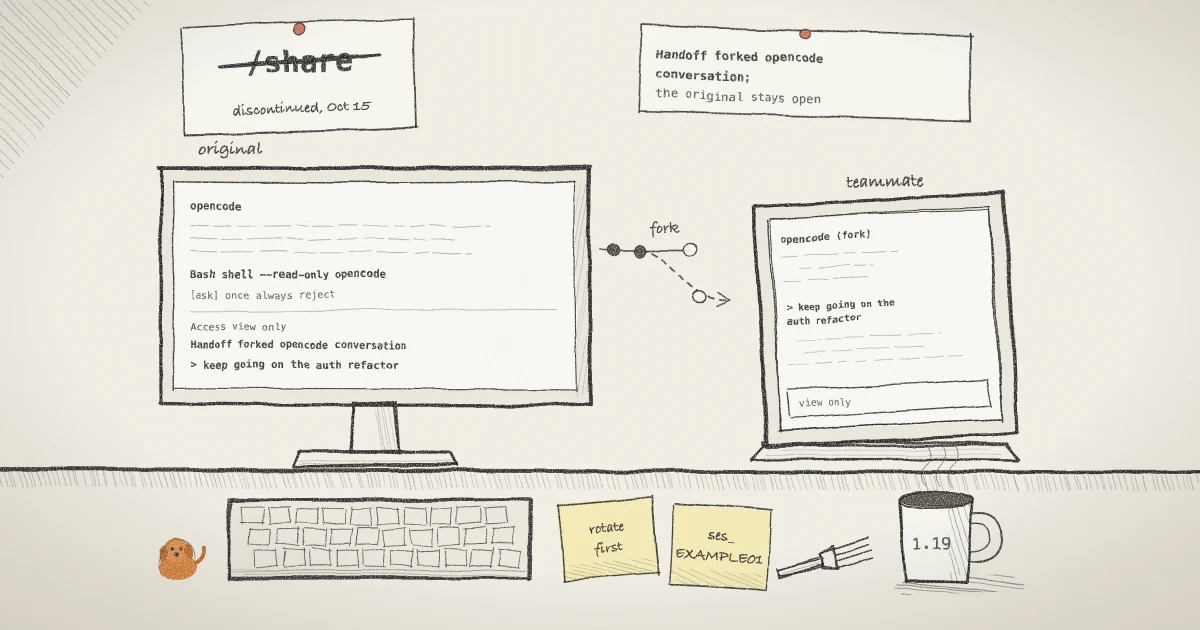
The CLI reference says it in one paragraph: when opencode runs shell opencode, shell detects the current conversation and starts a shareable fork with its history. The original process stays open, the two conversations then diverge, and shell does not move the running process anywhere.
The detection is simple. OpenCode sets OPENCODE=1, OPENCODE_PID and AGENT=1 in its own environment at startup, as you can see in its entry point, so every command its Bash tool runs inherits them. The OpenCode adapter in shell looks for OPENCODE=1, and only when the command after shell's own flags is the single word opencode and the start is not --foreground.
OpenCode does not tell its subprocesses which session they belong to, so shell works it out. It reads the working directory of the OpenCode process with lsof, then asks opencode db, which queries OpenCode's local SQLite database, for the most recently updated session in that directory and for how many sessions the directory has. It starts opencode --session <id> --fork, using the flags the OpenCode CLI reference documents for continuing a session as a fork, and removes the three OpenCode variables from the fork's environment so the new process does not believe it is running inside the old one. If the lookup fails, it falls back to opencode --continue --fork, which a comment in the adapter says can leave the forked TUI degraded.
Step 1: Make OpenCode ask before it shares anything
A share started by the agent is a share you did not type. OpenCode's permissions page says most permissions default to allow, so a Bash command such as shell opencode runs without a prompt unless you configure one. Add a rule to opencode.json:
{
  "$schema": "https://opencode.ai/config.json",
  "permission": {
    "bash": {
      "*": "allow",
      "shell *": "ask"
    }
  }
}The last matching rule wins, so the catch-all goes first and the shell * rule after it. When the agent tries to run a command that starts with shell, OpenCode stops and offers once, always or reject. I would keep it on ask: starting a share is a decision about who sees your terminal, and a model should not make it alone.
Step 2: Ask OpenCode to fork itself into a browser link
Check both tools first, in a terminal of your own:
opencode --version
shell --versionThen, in the OpenCode conversation you want to share, ask it to run this exact command with its Bash tool:
shell --read-only --name "auth refactor review" opencode--read-only makes the browser side view only, which suits a review. --name labels the session in shell list, shell ls and the web app. Both are shell's flags and come before opencode, so the command is still the single word the adapter looks for. If you leave them out, the fork is interactive and anyone with the link can type into it. If you add anything after opencode, such as a model flag, there is no handoff and shell starts a fresh OpenCode instead.
Approve the prompt from Step 1. shell prints its session card into the tool output, which looks like this with invented values:
  Name       auth refactor review
  Open       https://shell.online/s/EXAMPLE-ONLY#salt=EXAMPLE
  Password   Exampl3pw0
  Vault      not linked · run shell auth
  Access     view only · end-to-end encrypted
  Session    a1b2c3d4e5 · background
  Closes     when the task exits
  Handoff    forked opencode conversation; the original stays open
Note most recent session in this project; with multiple concurrent opencode sessions this may not be the one you are inThe card goes on with the Rejoin and Stop commands for this session. The Handoff line tells you the fork happened. The Note line appears whenever the project directory has more than one OpenCode session, or the lookup failed, because then the pick is a guess. The session you are typing in was just updated by the tool call, so the most recent one is usually right, but a second OpenCode window in the same directory can win the race. If you see the Note, open the link yourself before you send it, or use Step 4.
The fork keeps running after the tool call returns. A background start exits once the share is ready, and on macOS and Linux shell starts the background host in a new session with setsid, the call POSIX defines for exactly that.
Step 3: Replace the password the model has seen
The card went into the conversation. Tool output is part of the context OpenCode sends to your model provider, so the link and password above have left your computer in a request to that provider. OWASP lists credentials in a model's context under LLM02, sensitive information disclosure. Rotate before you give the link to anyone.
In your own terminal, find the session and rotate its credentials:
shell list
shell password rotate a1b2c3shell list shows each local session with its ID, access mode, uptime and relay status. shell password rotate takes the ID or its first six or more characters, generates a fresh password and URL salt, switches the host to the new cipher and disconnects any browser that was already connected. It prints:
Link: https://shell.online/s/EXAMPLE-ONLY#salt=NEWEXAMPLE
Password: N3wExampl3
Existing viewers were disconnected. Share the new link and password.The fork keeps running through this, and the new values never appear in the conversation. The earlier post on revoking a shared link without killing the process covers rotation in more depth.
Step 4: Fork a specific session from your own terminal
When you want no guessing at all, skip the handoff and give OpenCode the session ID yourself. From the project directory:
opencode session list
shell --read-only --name "auth refactor review" -- opencode --session ses_EXAMPLE01 --forkopencode session list prints each session's ID, title and last update. In your own terminal OPENCODE is not set and the command has several words, so shell runs exactly what you typed: a fork of that session, and nothing else. The -- separates shell's flags from OpenCode's. This path also keeps the card out of the model's context, because no agent ran it, so there is nothing to rotate before you send it.
Step 5: Send it, follow along, and close it
The link holds only a random salt in its #salt= fragment. RFC 3986 says a fragment is dereferenced solely by the user agent, and the browser exposes it to the page as the URL hash; shell derives the key in the browser from the password and that salt. Send the link in one channel and the password in another. The encryption page explains what the relay can and cannot see.
Up to 16 browsers can hold one session open; a seventeenth is turned away with "session is full". Your teammate sees the forked OpenCode TUI with the conversation history up to the fork. To work in the fork yourself, attach from the computer it runs on:
shell attach a1b2c3Press Ctrl-X, release it, then press D to detach. The fork keeps running and the link stays live. When the review is over:
shell kill -- a1b2c3That stops the forked OpenCode and takes the link offline. Your original conversation is a separate process and is not touched.
What this setup does not do
- It does not recreate
/share. There is no static page with a permanent URL. The link lives as long as the fork runs and your computer stays awake and online. - It does not sync the two conversations. Whatever happens in the fork stays in the fork, and the original carries on without it.
- It does not separate their files. The original and the fork work in the same directory, so if both are allowed to edit, they edit the same checkout. For a review, let only one of them write.
- It does not limit what an interactive viewer can do. Without
--read-only, a viewer types into OpenCode with your operating-system account's permissions and your provider keys. The post on handing a teammate the password without the service seeing it covers the account-based route. - It depends on lsof for the automatic pick. On a machine without it, such as Windows or a minimal Linux image, shell falls back to
--continue --fork. Use Step 4 there. - I checked the adapter against OpenCode 1.19.3 only. OpenCode 2 is a separate release line, and I have not tested the handoff there.
Where Pilot Protocol fits
shell.online is built by the team behind Pilot Protocol, a networking stack for autonomous agents, and the problem is the same one at a different layer: two parties behind different networks who need to reach each other without opening a port. Pilot's guide to connecting agents behind NAT without a VPN explains how it tries a direct path first and falls back to an encrypted relay that forwards only ciphertext. If your review turns into two people typing in the fork, Pilot's write-up on how shell.online decides who types explains what happens when a viewer and the host type at once. The code for all of it is in the shell.online repository.
Fork the conversation, not the transcript
Install shell, add the ask rule to OpenCode, and the next time a teammate asks what the agent is doing, give them a fork they can watch live.
Read the shell.online docs