How to Choose Who Can Answer Claude Code's Prompts in a Shared Terminal
Decide who can approve a Claude Code permission prompt in a shell.online session: you on your phone, you at the host while others watch, or several typists.
Artemii Amelin10 min read
Contents
- Step 1: Decide before you start, because the mode is fixed
- Step 2: Answer prompts yourself from your phone
- Step 3: Let others watch while you answer at the machine
- Step 4: Know what happens when two people can type
- Step 5: Let a second agent watch for prompts
- Step 6: Take input back without stopping the run
- What this setup does not do
- Where Pilot Protocol fits
On October 1, Anthropic introduced mods for Claude Code: small TypeScript functions that hook into the agent and change what it does. A mod can rewrite a prompt before it reaches the model, block or retry a tool call, redact secrets from tool output, and approve or deny a permission request. One of Anthropic's own examples is a production safeguard that asks for confirmation before a risky step. GIGAZINE covered the launch the next day. Anthropic is plain about the risk: mods "run with the same access to your machine as Claude Code itself. They aren't sandboxed."
Mods make it easy to add more questions to a run. A question only protects you if the right person answers it. Claude Code's permission prompt offers Yes, "Yes, and don't ask again", sometimes "Yes, and switch to auto mode", and No. Whoever can type into that terminal can pick any of them. Once the terminal is shared in a browser, that is no longer only you at your desk.
This guide shows how to decide who can answer Claude Code's prompts when it runs under shell.online: only you from your phone, only you at the machine while others watch, or several people with a clear rule for who gets the keyboard. Every behavior below comes from the shell.online repository at v0.25.0.
Step 1: Decide before you start, because the mode is fixed
A shell session is either interactive or read-only, and you choose when you start it. Interactive is the default. The security page puts it directly: anyone with the complete link and password can view and type with the wrapped process's operating system permissions. A read-only session rejects browser input in both the relay and the CLI, and it cannot be switched to interactive later. An MCP control grant does not change that either.
There is no per-viewer role inside one session. You cannot give one person a typing link and another a watching link to the same process. That leaves three setups, and the rest of this guide walks through each:
- You alone answer, from anywhere: an interactive session whose password nobody else has.
- Others watch, you answer at the machine: a read-only session plus
shell attach. - Several people can type: an interactive session shared on purpose, with the typing rule from Step 4.
This is the least privilege principle from NIST applied to a terminal: give each person the minimum access their part of the job needs.
Step 2: Answer prompts yourself from your phone
Install the CLI from the platforms page, go to the project and put shell in front of the agent:
shell --name "billing-mod-trial" claudeshell starts Claude Code in a new pseudoterminal on your computer, runs it in the background, and prints a browser link, a ten-character password and a QR code, as the CLI help text describes. The name shows up in shell list, shell ls and the web app. Scan the QR code with your phone. It carries the password too, so one scan opens the terminal.
When a prompt appears, tap the terminal to open the keyboard. The mobile guide covers the terminal key controls for keys a phone keyboard lacks. Choose an option and press Enter, as you would at the desk. Ctrl-C in the browser interrupts the running command; it does not copy.
In this setup the password is the whole access model. Do not paste the link into a team channel, and do not post a screenshot of the QR code. If you need the password again later, print it on the host:
shell list
shell password <ID>shell list shows active shares with their IDs and uptime. shell password prints the active session's password from its owner-only local record.
Step 3: Let others watch while you answer at the machine
If teammates should see the run, or a mod that asks before touching production, start it read-only:
shell --read-only --name "billing-mod-trial" claudeSend the link and password to the people who need to watch. Their browsers show the session, and nothing they type reaches Claude Code. To answer prompts yourself, attach from a terminal on the host:
shell attach <ID>Use the ID from shell list, or its first six or more characters. You are now in the same terminal the viewers see. Answer the prompt, then press Ctrl-X followed by D to detach. Claude Code keeps running and the read-only link stays live. The guide to watching an agent after you turn off its prompts covers the same read-only link for runs that have no prompts at all.
The cost is that only someone at the host machine can answer. If you will be away, use Step 2 instead and keep the audience out.
Step 4: Know what happens when two people can type
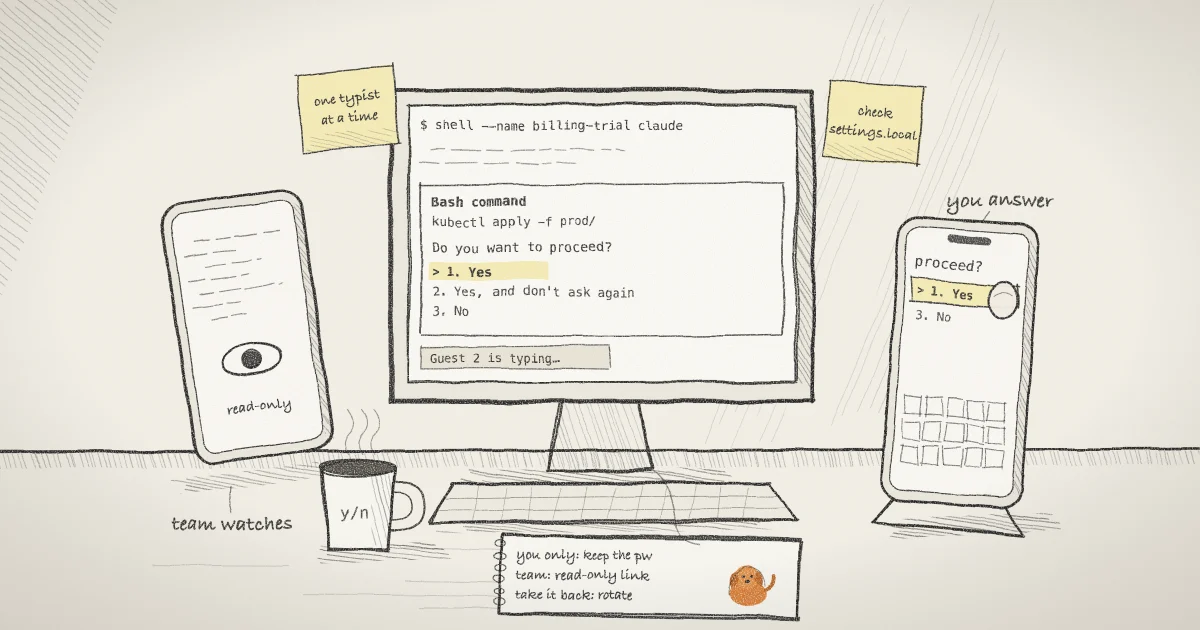
Sometimes you do want a second person on the keyboard, such as a teammate who knows the production system better than you. shell does not merge their keystrokes with yours. Each browser reaches the relay over its own WebSocket connection, and the relay gives input to one typist at a time. In the relay code, a viewer who types claims a lease of 1,800 milliseconds. While that lease is live, input from any other viewer is dropped, not queued. The other browsers show "Guest 2 is typing…" and, in the shared terminal page, disable their own input until the lease runs out.
Typing at the host comes first. When you type through shell attach, the CLI tells the relay, browsers show "Local owner is typing…", and browser input waits. An MCP controller comes last. The relay code states the order as local host, then browser human, then one MCP writer, and an MCP send made while a human is typing is rejected as busy rather than held for later.
The lease decides whose keystrokes land, not who is allowed to decide. If two people both read "Do you want to proceed?" and one presses 1 a moment before the other presses 4, the first answer wins and the second keystroke goes nowhere. Agree on one person per run who answers prompts. Viewers appear as Guest 1, Guest 2 and so on, so the screen will not tell you which person typed.
A session holds up to 16 viewers. A seventeenth browser waits and joins when a slot opens.
"Yes, and don't ask again" outlives the session. According to Anthropic's permissions documentation, choosing it for a Bash command or a web domain saves a rule to .claude/settings.local.json at the root of the repository, and that rule applies to future sessions anywhere in the repository. Anyone who can type into the shared terminal can create that rule from a phone. Rotating the password later does not remove it. Check the file after any run where someone else had input.
Step 5: Let a second agent watch for prompts
If nobody can keep a browser open, another agent can watch the session over MCP and tell you when Claude Code is waiting. Give it an observe grant, which can read but not type:
shell mcp grant <ID> "prompt watcher" observe 900The CLI prints a bearer once. It is valid for up to 900 seconds, within the service's own caps. Put it in your MCP client's secret store, not in a command line or a repository. The client sends it to https://shell.online/mcp in an Authorization: Bearer header, the form the MCP authorization specification uses for access tokens. The watcher can then call shell_screen for the current screen and shell_wait to wait up to 45 seconds for new output or a pattern such as the prompt text.
The agents page lists the control grant that adds shell_send. I would not give one to a watcher whose job is to notice a question. Answering prompts is the human-in-the-loop step that OWASP's guidance on excessive agency recommends for high-impact actions, and handing it to a second model moves the decision without making it safer. The docs also say Claude-backed controller behavior is unverified. An observe grant has one trade-off to know: it lets the server decrypt terminal output in memory for the grant's lifetime, which the browser link alone never does. docs/MCP.md describes that boundary, and the earlier post on scoped MCP grants walks through the grant lifecycle.
Step 6: Take input back without stopping the run
If you gave someone the interactive link and their part is done, rotate the password:
shell password rotate <ID>This changes the password and the salt in the link, disconnects every current viewer and revokes the session's MCP grants. Claude Code keeps running. You get a fresh password, and only the people you send it to can come back. To end only the MCP access, use:
shell mcp revoke-all <ID>The post on revoking a shared link covers rotation in more detail. Neither command undoes an answer already given or deletes a permission rule already saved.
What this setup does not do
- shell does not read prompts. It carries keystrokes to a terminal and cannot tell a permission prompt from any other input. It will not stop someone from choosing "Yes, and don't ask again".
- It has no per-person roles within a session and no record of which viewer typed what. The typing lease orders input; it does not attribute it.
- It does not sandbox Claude Code or its mods. A mod runs with Claude Code's access to your machine whether or not the terminal is shared, so install mods only from sources you trust, as Anthropic says.
- Read-only blocks typing, not reading. Everyone with the link sees whatever the agent prints, including secrets that reach the screen. The encryption page explains what the relay can and cannot see.
- The input-priority behavior described here comes from the hosted relay and the macOS and Linux host code. I did not check the Windows host path.
Where Pilot Protocol fits
shell.online is built by the team behind Pilot Protocol, a networking stack for autonomous agents, and the same rule runs through both: decide who can reach an agent before it needs anything. In Pilot, a private agent rejects traffic from peers it has no trust with. Another agent asks for trust with a handshake that carries a justification, the owner approves or rejects it, and trust can be withdrawn later. The trust and handshake docs describe the commands. The post on Claude Code agent teams over Pilot applies it to several Claude Code workers, where specialists accept tasks only from the manager they trust. A shared terminal is a smaller version of the same question: whose input does this agent accept.
Pick who answers before the first prompt
Put shell in front of claude, choose interactive or read-only at the start, and keep the password with the person who decides.